.png?width=200&height=90&name=logo-edist%20(1).png)
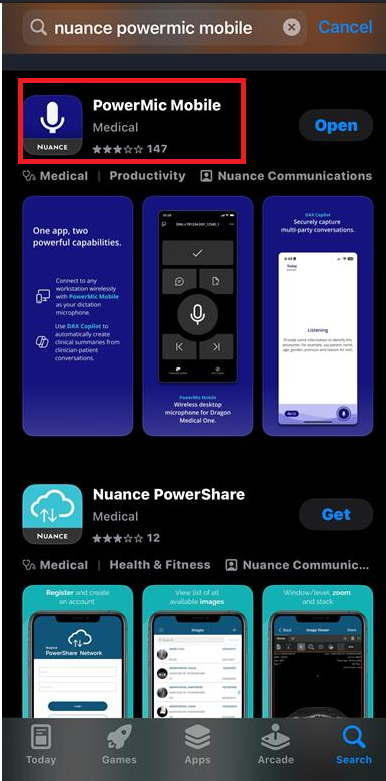
1) Please go into the App Store on your iPhone or the Google Play store. You will then look up Nuance Power Mic Mobile.
2) Once downloaded you will need to configure the app, you can find the configuration inside of the welcome kit:
For a more seamless approach, you can log into Dictation.cloud on your phone and select "click to sign in on iOS/Android."
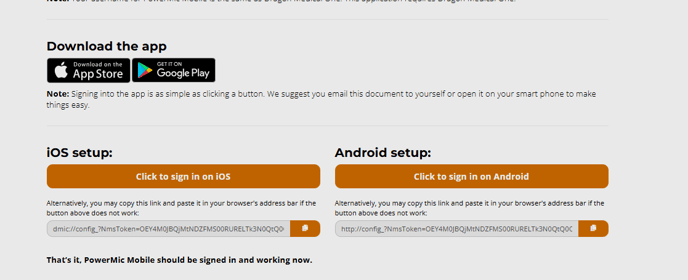
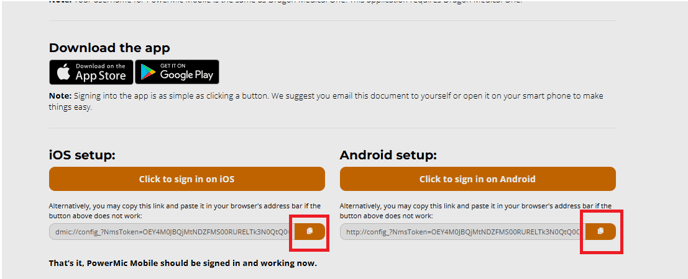
3) If you are manually provisioning the app you will need to copy the link that applies to your phone:
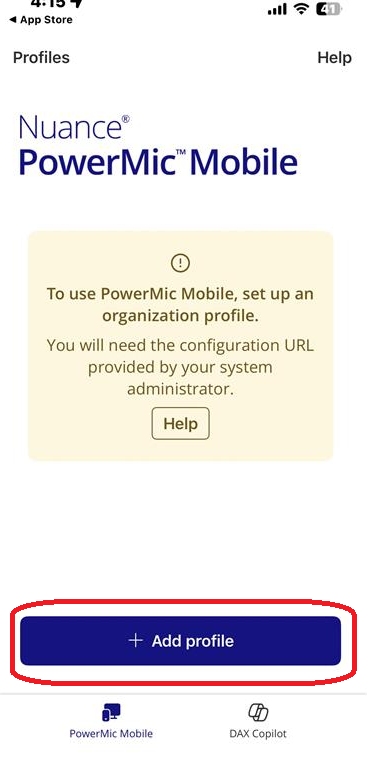
4) You will then open PowerMic Mobile and select "add profile":
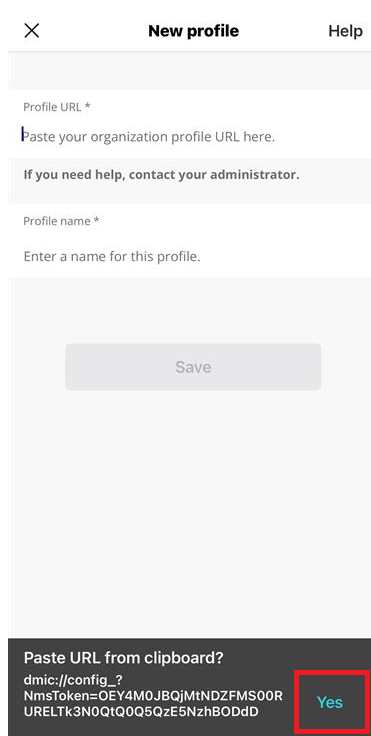
5) With the copied provisioning link select "yes" when the message below appears:
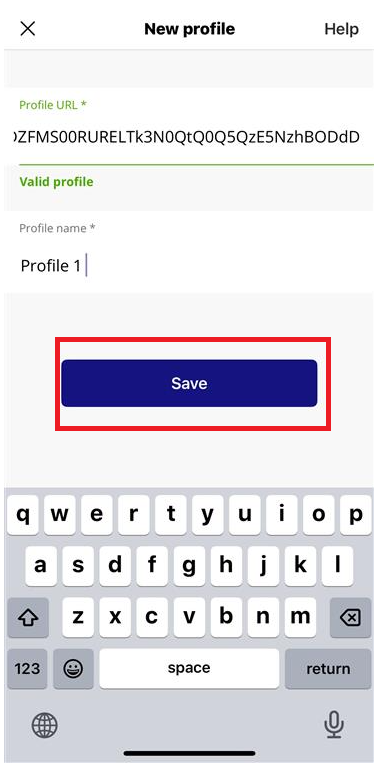
6) You will then name your profile under "profile name" You can name this whatever you like, in this example we'll name it "Profile 1" and select save:
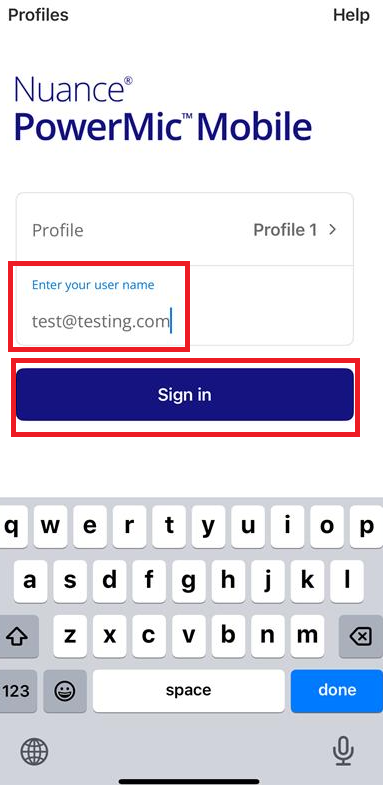
6) You will then log in to Power Mic mobile using your Dragon Medical One login:
If you have multiple profiles in your Powermic Mobile, you can select them. A drop-down menu will display, and you can select the correct profile for your organization.