.png?width=200&height=90&name=logo-edist%20(1).png)
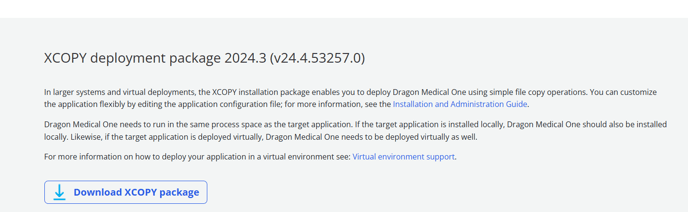
1) Download the XCOPY from the resource center which can be found here - https://dragonmedicalone.nuance.com/StandAlone/dragonmedicalone
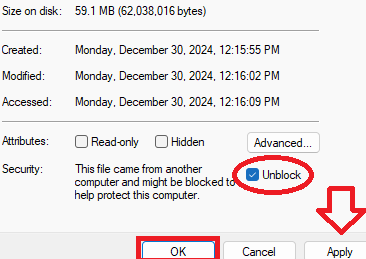
2) When the download has finished please right-click on the standalone folder and select properties, please make sure to check unblock and apply and then hit ok.
Without this step, Power Mic Mobile may not connect!
4) Now extract the file to the desired location, we recommend not installing it within the downloads section as this could be lost or deleted.
Method 1: Using your Welcome Kit
1) Please download the configuration file that can be found within the welcome kit.
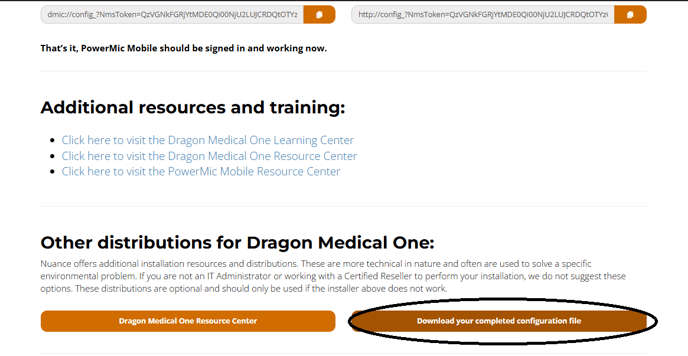
2) You can take the configuration file you downloaded from the welcome kit and replace it in your standalone folder.
Method 2: Manually editing the .config file
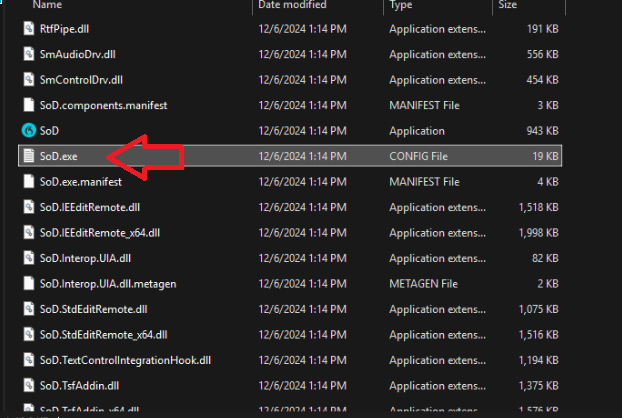
1) Locate and open the "SoD.exe" configuration file with a text editor
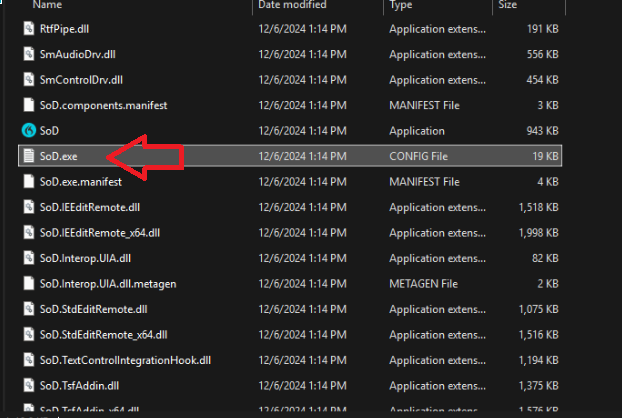
2) Locate the "Organization token" parameter within the configuration file.
Tip: Try searching "OrganizationToken" using the search function!
3) Enter your Organization token between the "<value> Token </value>" parameters!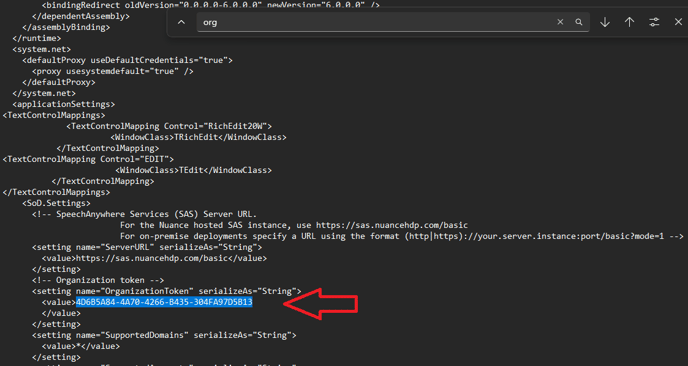
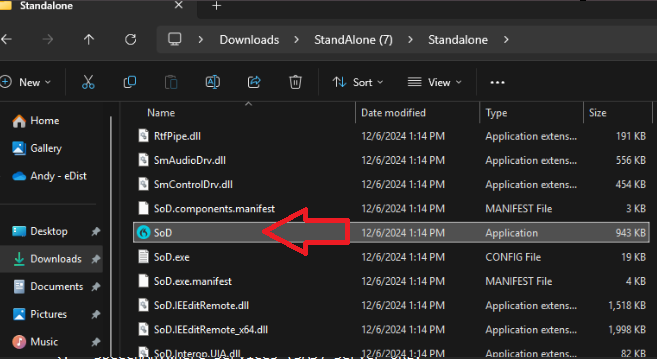
4) Scroll down until you see the SOD icon. This is going to be your executable!
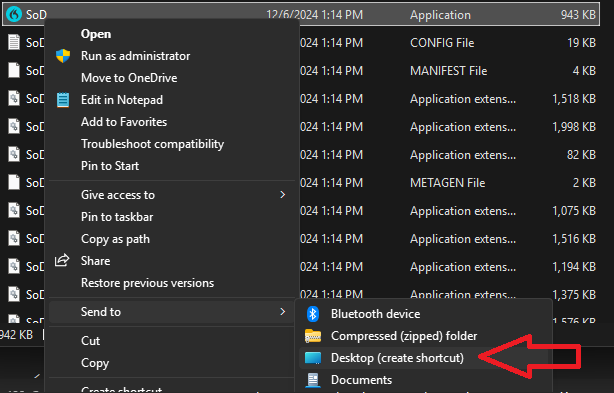
Tip!: You can right-click and create a shortcut to the desktop. You can change or rename the app on the desktop to Dragon Medical One.
You have successfully installed the standalone version of Dragon Medical One.