.png?width=200&height=90&name=logo-edist%20(1).png)
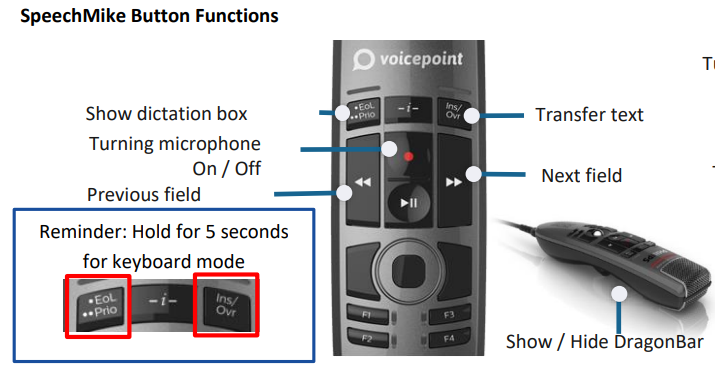
- Before the first use, press and hold the <EoL/Prio> and the <Ins/Ovr> buttons.
These need to be held simultaneously for 5 seconds! - Place the cursor where you place the text.
- Place your microphone about 5-10cm away from your mouth.
- Press the <Record> button during your dictation.