.png?width=200&height=90&name=logo-edist%20(1).png)
Navigate to the location on your computer where you downloaded Dragon
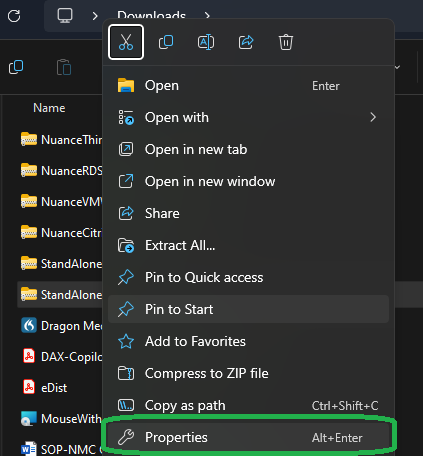
Right click the downloaded file, then click Properties:
Look for the Unblock check box in the lower right:
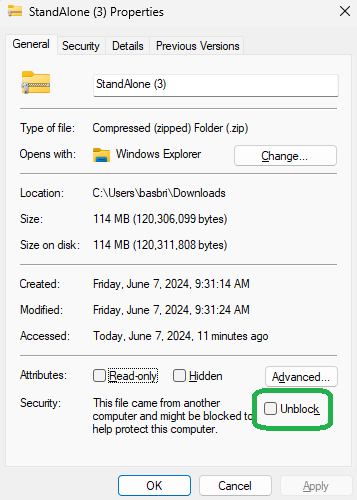
NOTE: If you do not see this option, the file is already unblocked. You can safely skip the below go straight to installation.
Check the Unblock box, then click Apply> OK:
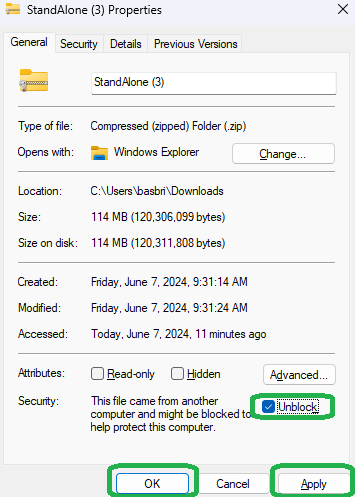
You may then proceed with installation normally.
While the above is best practice for all downloads, it is extremely important to follow these steps when downloading the XCopy Standalone versions of Dragon Medical, Dragon Legal, and Dragon Professional. Failure to do so can lead to the PowerMic Mobile smartphone app being unable to pair to Dragon on your PC.