.png?width=200&height=90&name=logo-edist%20(1).png)
1) Please log in using your VAR credentials. https://dictation.cloud
2) Click on the <orders> tab.
3) Once you are at the order please scroll down and click on <pending>.
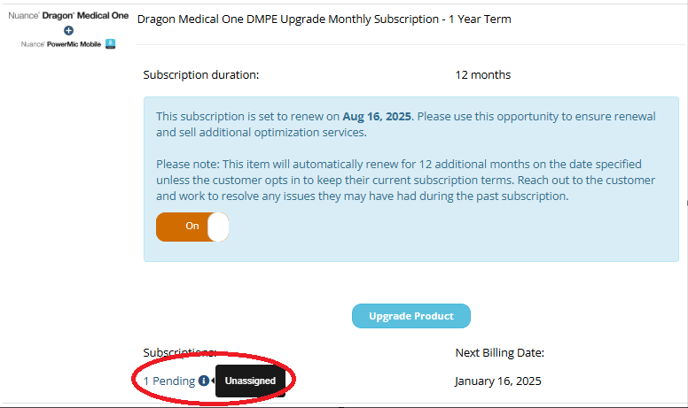
4) Once you are clicked in you can fill out the following information requested below.
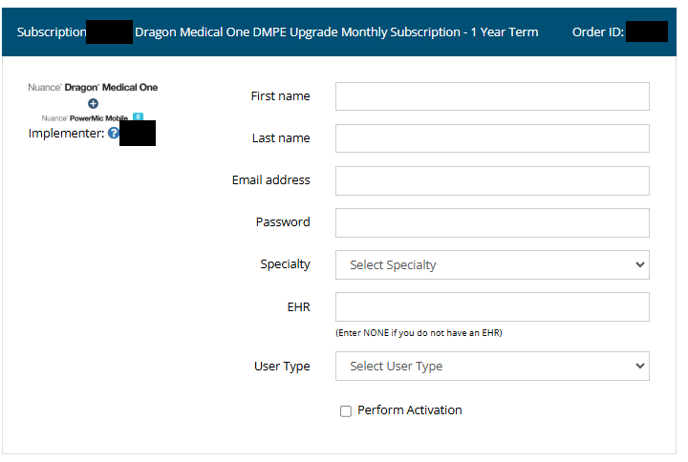
5) And check the perform activation box.
6) Once you have filled out that info press the Process subscription button to the right.
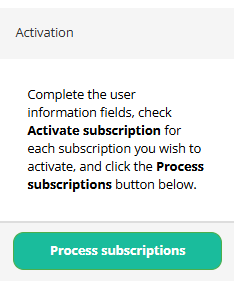
You have successfully activated a new user.