.png?width=200&height=90&name=logo-edist%20(1).png)
Follow the steps below to add a test drive to a new or existing customer account.
2) From the customer's page, click the Test Drive tab, then click Add New Test Drive.
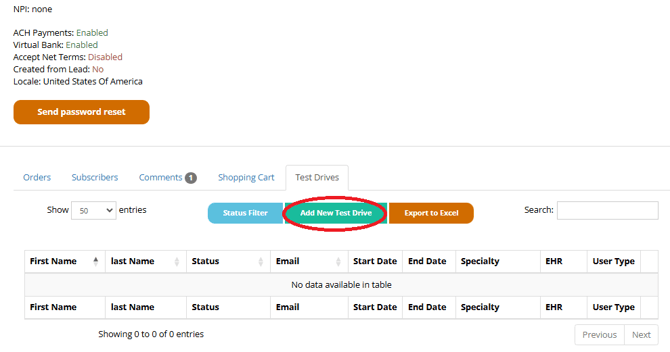
3) Fill out the required customer information and click Submit. A success message confirming the test drive has been activated will appear.
You have successfully created a new test drive.