.png?width=200&height=90&name=logo-edist%20(1).png)
1) Be sure you have connected or plugged in your microphone to your computer.
2) Once plugged in, you can choose your audio input as shown below:
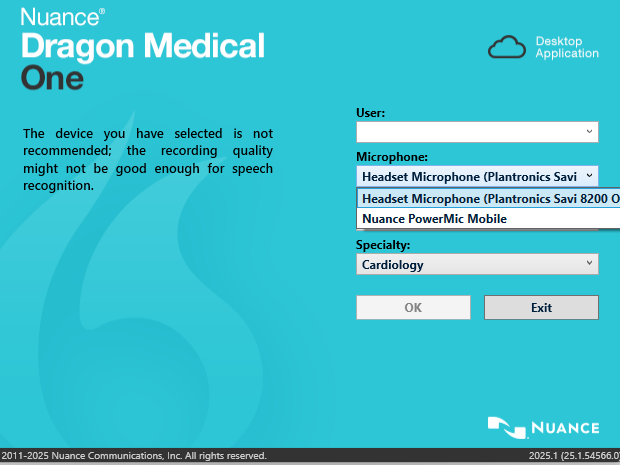
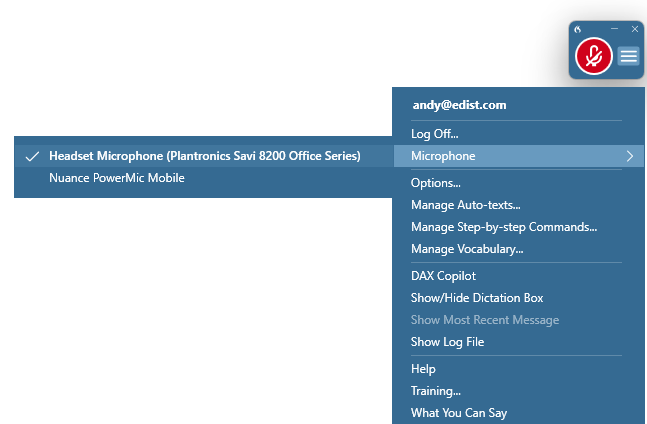
3) You can also change the inputs within Dragon Medical One.
You can do this by clicking on the menu dropdown and hovering over the "microphone" option, and selecting the desired microphone.