
How to: enable sodria logging for Dragon extension.
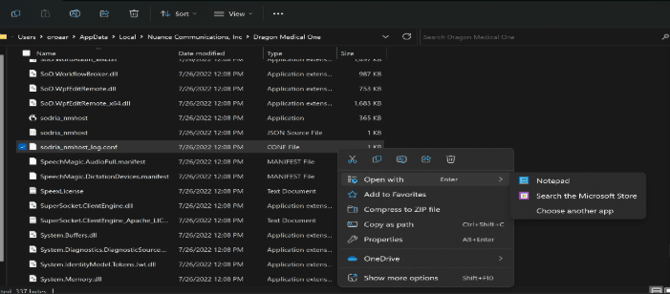
1) Locate the Dragon installation folder.
2) Locate “sodria_nmhost_log.conf” Conf File
3) Open with NotePad (or other text editor)
4) Make the following changes seen below: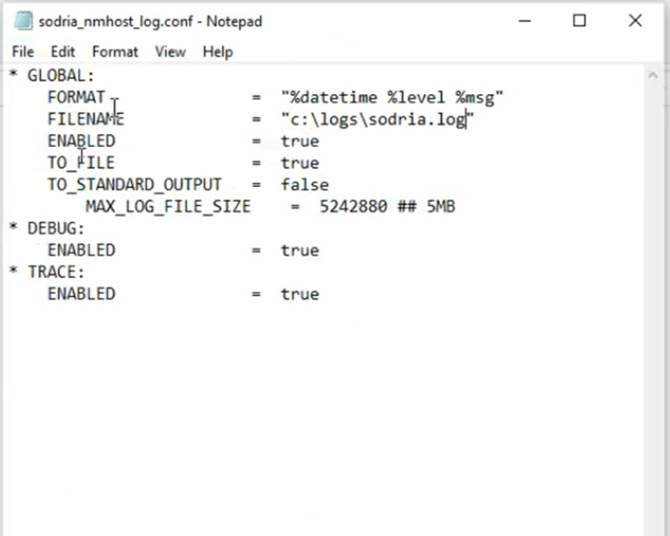 :
5) Restart Dragon and any web browsers.
Notes:
-
The FILENAME is a path to set where the log file will generate.
- For the example above, it will create the log in the folder C:\logs\
- Log file may not generate immediately and can take some time before it appear.
- Logging will need to be turned off after troubleshooting in complete