.png?width=200&height=90&name=logo-edist%20(1).png)
1) Log into the NMC with credentials. This will require admin rights. Please make sure you are using the correct Login ID.
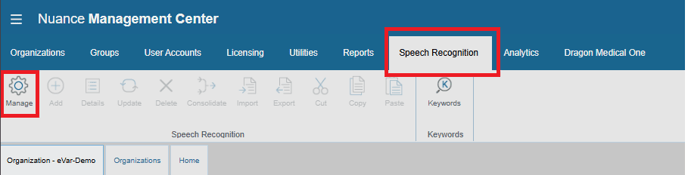
2) Once logged in please make your way into the "speech recognition" tab and hit "manage":
3) You can export auto texts, words, and commands. In this example, we'll do auto texts:
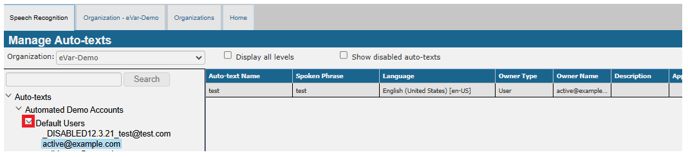
You can hit each carrot until you get to the user level of the group/site.
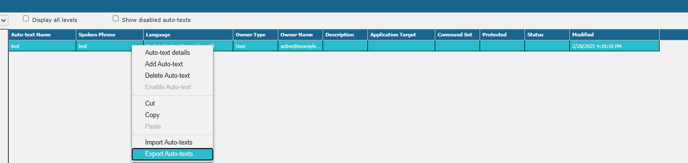
4) Select the speech object/objects you need to export and make sure that they are highlighted. A message will appear to export and to save on your machine.
This will be saved to your downloads, usually on the top right you'll see this completed.
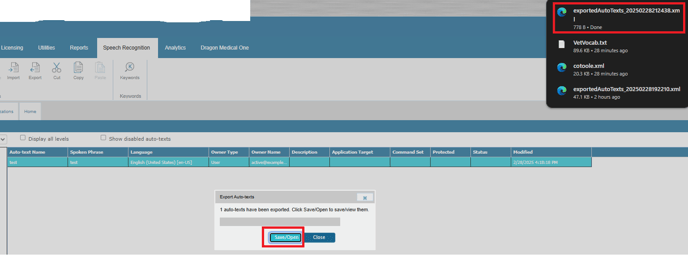
You have successfully exported a speech object.
NOTE:
As a reseller, you are not able to import these speech objects for your customers.
Please submit a request to the eDist helpdesk with the exported file and customer login name.