.png?width=200&height=90&name=logo-edist%20(1).png)
The following information applys to the following:
Dragon Medical One
Dragon Professional Anywhere
Dragon Legal Anywhere
Dragon Professional for Law Enforcment
There are two different methods to locate the logfile.
Method 1:
1) When Dragon is launched, select the <Dragon Bar Menu>

2) Click the <Show Log File> option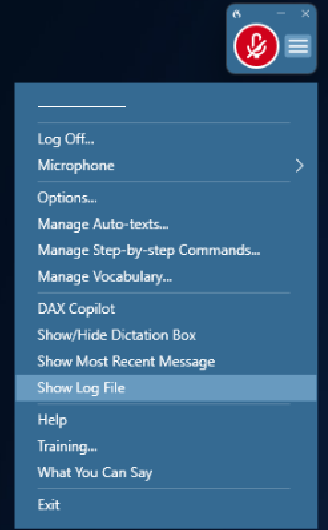
3) This will open a text document that can be saved to your computer.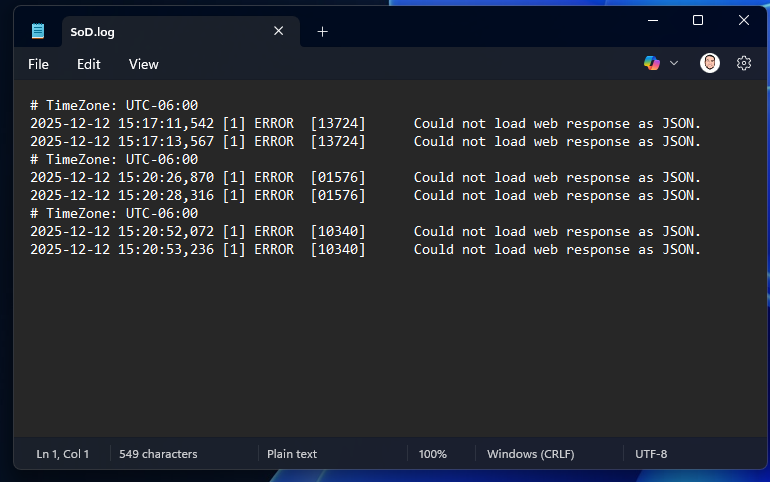
Method 2:
1) <Right Click> on your Dragon icon and select <Open file location>.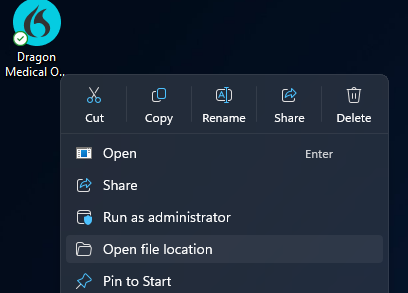
2) In the installation folder location, locate the "SoD" text document.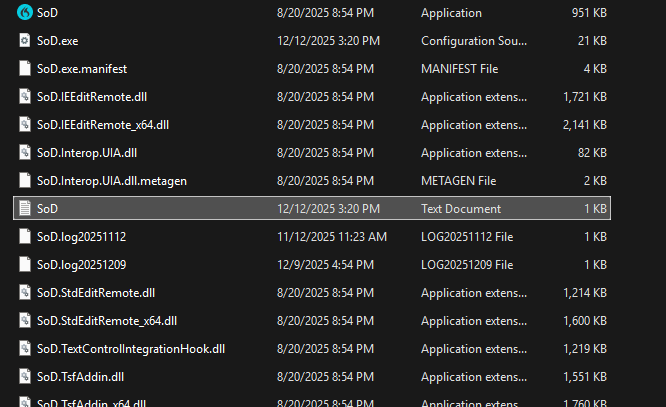
3) This will contain the most recent logging information. You can copy this document to provide to your techincal team!