.png?width=200&height=90&name=logo-edist%20(1).png)
Trial Keys are activated via the License Server and can be added anytime during the Foundation setup.
-
Philips Partners will need to log into their partner portal here:
https://www.dictation.philips.com/pp-login/login/
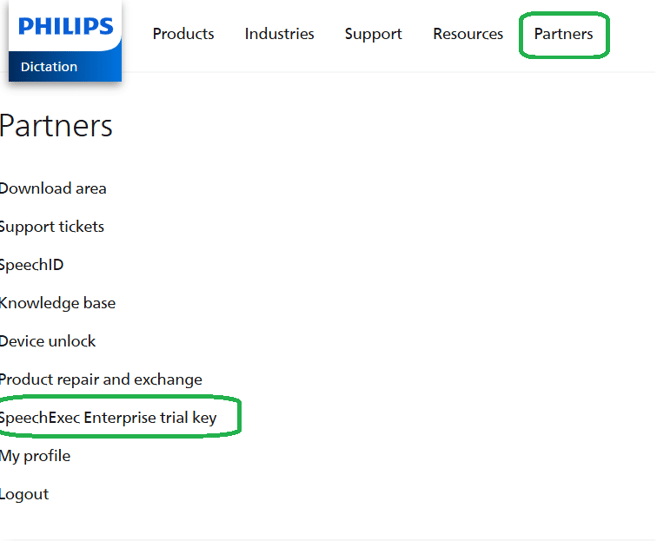
- Navigate to the <Partners> Tab and select <SpeechExec Enterprise trial key>
- Fill in the customer's organization information and click <Generate>
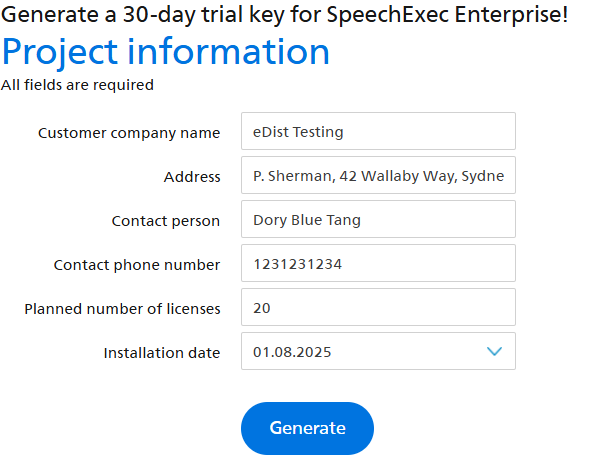
- You should receive your customer's trial key.

Step 2: Activate the License Manager
-
After installation, open and launch the SEE License Manager
- Select <License> then <Generate demo license...>
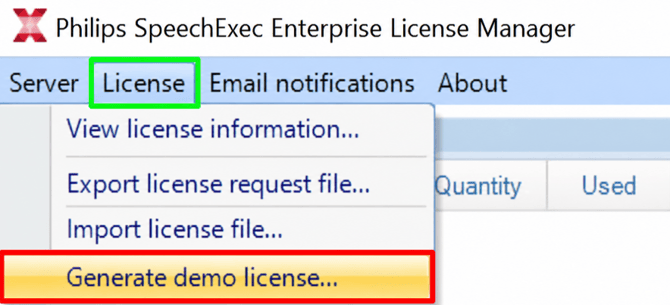
- You will then enter the 4 Digit code that was generated in step 1.