.png?width=200&height=90&name=logo-edist%20(1).png)
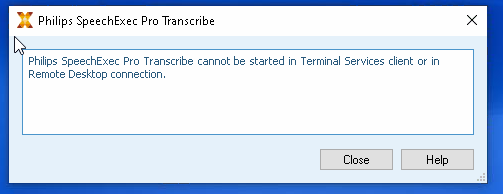
When a customer launches SpeechExec Pro (or non-pro) over a remote connection (RPD, Citrix, or VMWare), they get the error:
"Philips SpeechExec Pro Transcribe/Dictate cannot be started in Terminal Services client or in Remote Desktop connection."
Solution: This feature is only available in a SpeechExec Enterprise environment. You will need to engage sales, or recommend a home install of the software with an email workflow. This will require revoking the SpeechExec license from the remote computer. Please note that if the version is out of service, you will not be able to re-activate the software at home. The customer will need to purchase Enterprise or upgrade their SpeechExec Pro software for home use.
Solution: This feature is only available in a SpeechExec Enterprise environment. You will need to engage sales, or recommend a home install of the software with an email workflow. This will require revoking the SpeechExec license from the remote computer. Please note that if the version is out of service, you will not be able to re-activate the software at home. The customer will need to purchase Enterprise or upgrade their SpeechExec Pro software for home use.