.png?width=200&height=90&name=logo-edist%20(1).png)
Tip!
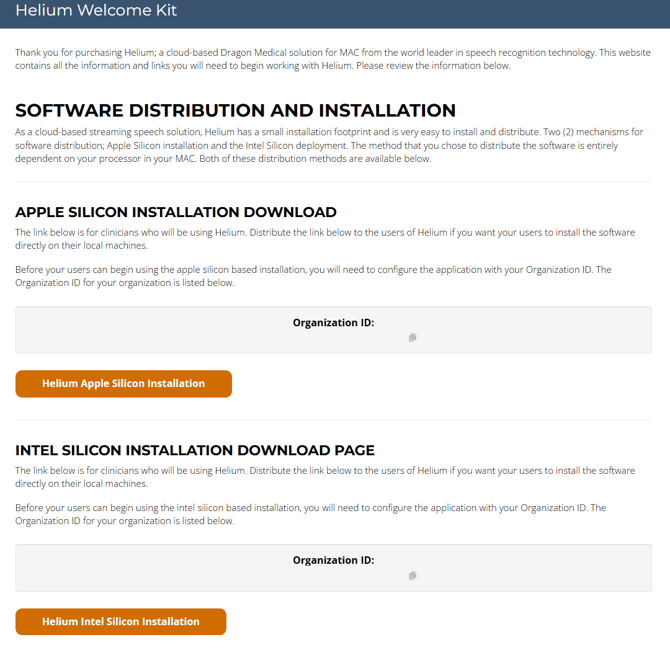
Check your email for a copy of your Welcome Kit!
These are also emailed directly to you when you start a test drive or activate a subscription!
For a basic guide on how to install Helium, check out this article!
For a guide on how to locate your Welcome Kit on an active subscription, check out this article!
Installation and download instructions can be found within your Dictation.Cloud Welcome Kit!
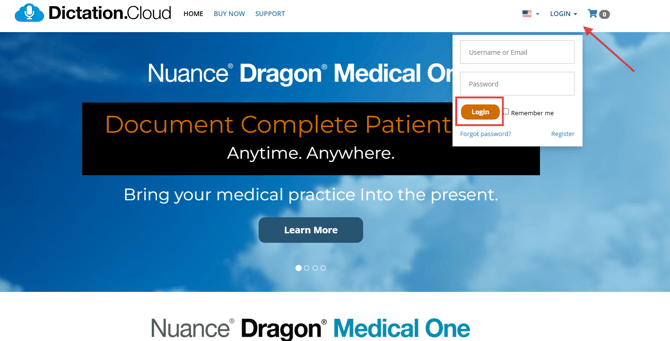
1.) First LOGIN to https://dictation.cloud/.
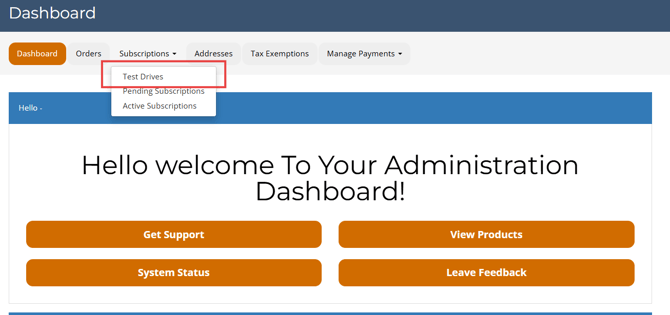
2.) Under Dashboard, select the "Subscriptions" tab, then click "Test Drives" from the dropdown menu.
Customers can also view their test drives at the bottom of the Dashboard page!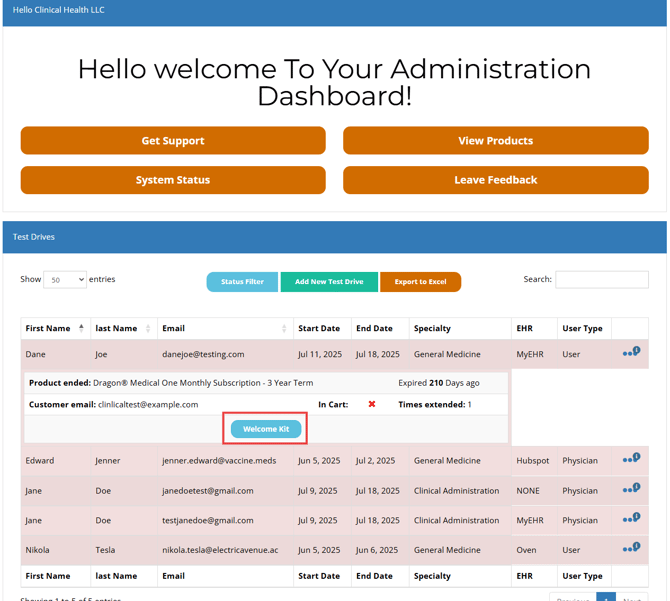
3.) Locate the user and use the 3-Dot ellipses on the right to expand the drop-down options.
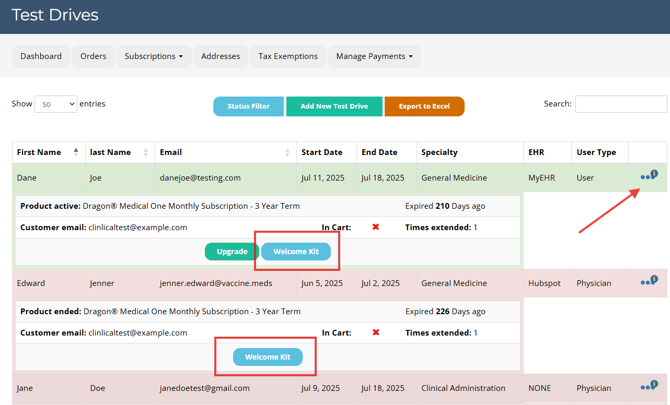
4.) The page will load into your Welcome kit!