.png?width=200&height=90&name=logo-edist%20(1).png)
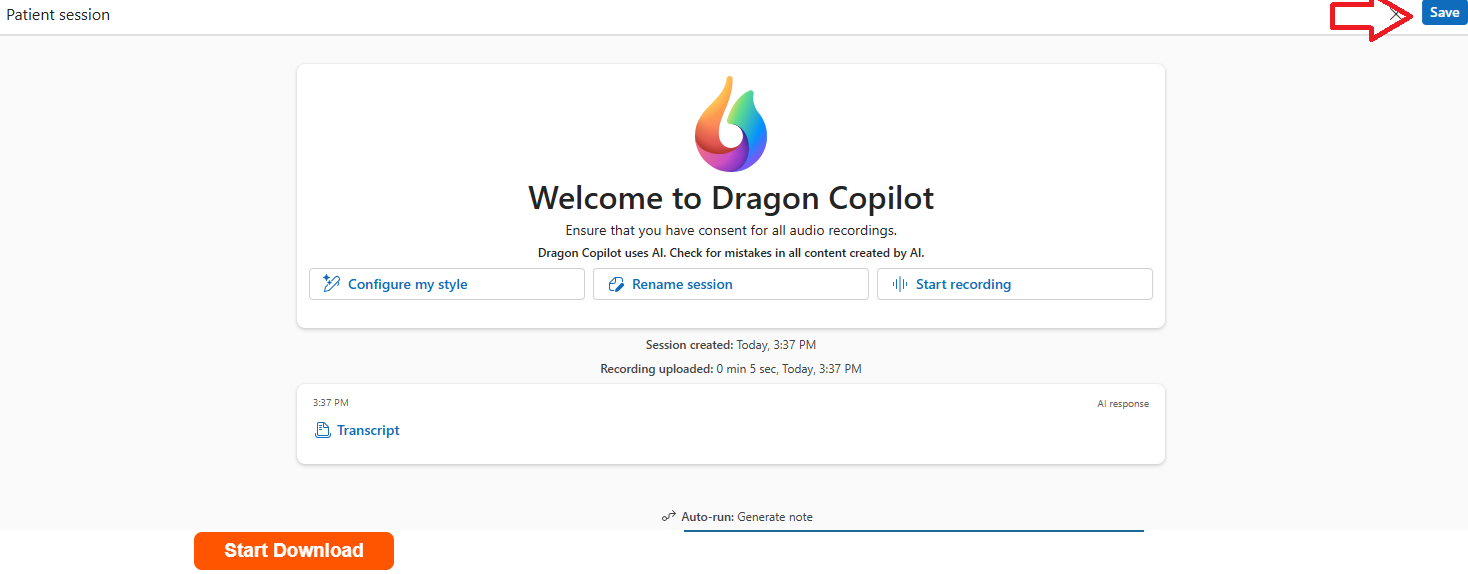
1: Once your ambient recording has been completed, click on the save button on the top right:
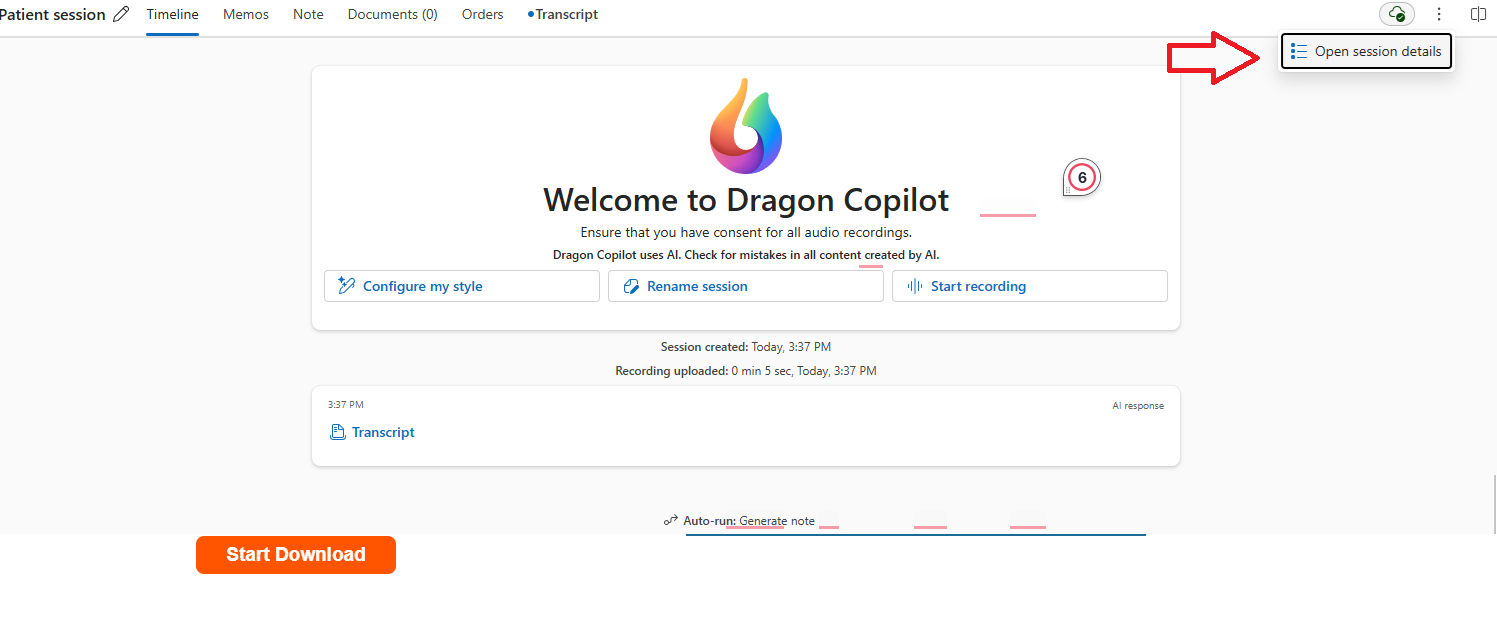
2: Since the recording was successfully saved, you will be able to retrieve the session details. This will be on the same corner:
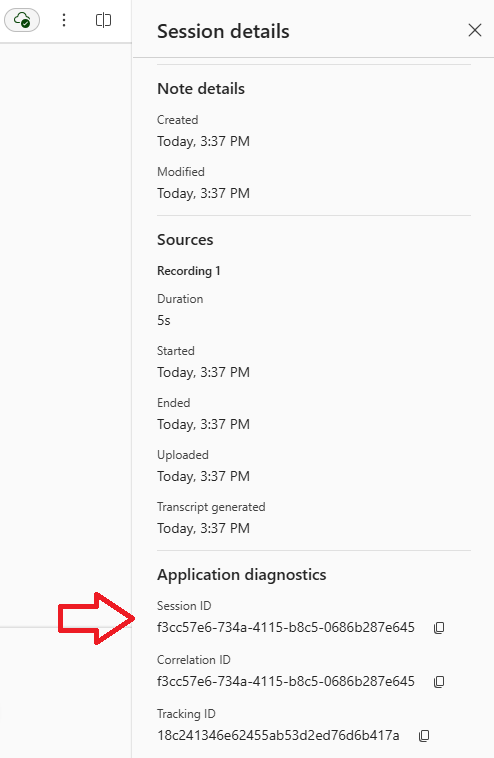
3: Once selected, you scroll down to the mini window that opens, and below it, you'll see the session ID with a handy copy button to the right of the ID: