.png?width=200&height=90&name=logo-edist%20(1).png)
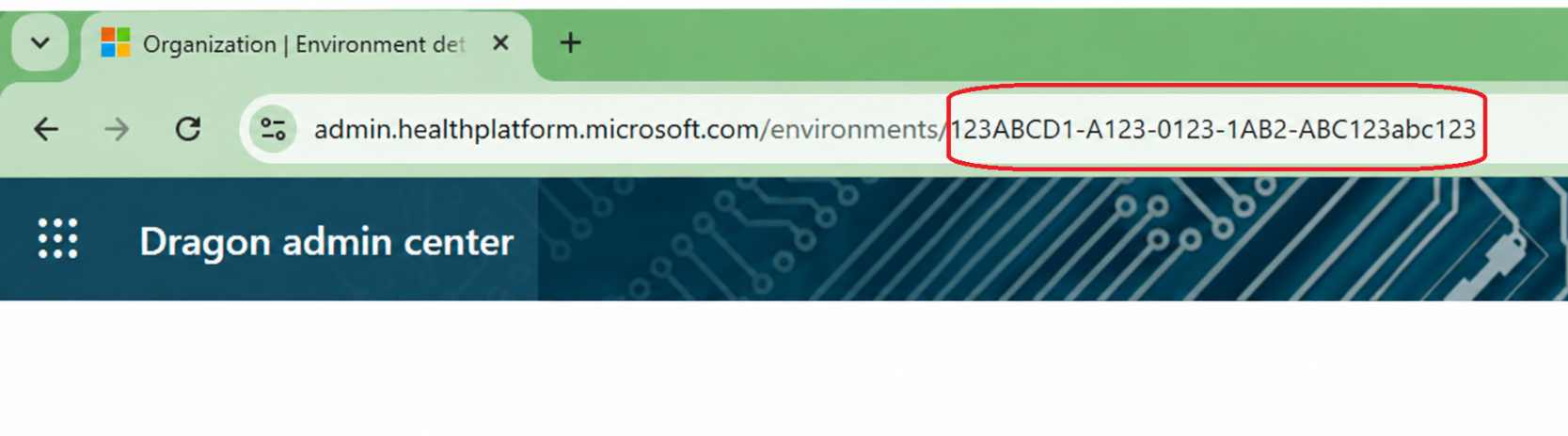
Your Dragon Admin Center Environment ID can be located from the Dragon Admin Center by following the steps below.
Dragon Admin Center:
https://admin.healthplatform.microsoft.com/
Find the Environments Page:
- Sign in to the Dragon Admin Center.
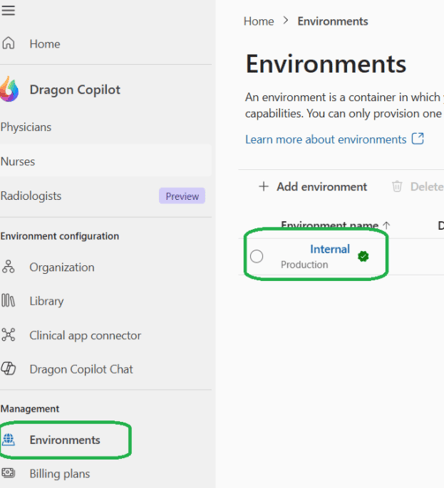
- From the left navigation menu, select Environments.
- Click your environment (typically named your organization's environment).
After selecting your environment:
- Locate the Environment ID with your browser URL
- Copy the ID and provide it to Support if requested.